Why it helps
Snipnest turns scattered screenshots into a searchable, organised visual library you can actually use. No cloud account, no subscription, no analytics — just your screenshots, on your Mac.

A private screenshot command center with OCR search, Smart Collections, duplicate cleanup, sensitivity checks, and Action Review for follow-ups hidden inside screenshots. Everything stays on your Mac.
Snipnest turns scattered screenshots into a searchable, organised visual library you can actually use. No cloud account, no subscription, no analytics — just your screenshots, on your Mac.
Snipnest now scans OCR text locally for practical action signals: deadlines, meetings, questions, follow-ups, receipts, urgent/blocked work, and contact details. The Insights dashboard summarizes the whole library while each screenshot gets a copyable action summary.
Named saved searches that update dynamically. Built-in presets include Favourites, This Week, Receipts, Errors & Logs, and Code. Create your own with any combination of tags, OCR keywords, source app, date range, and favourite status. Collections appear in a collapsible sidebar so you can switch context instantly.
Finds near-duplicate screenshots using perceptual hashing (dHash algorithm). Scans your entire library in seconds, groups visually similar images, and lets you review and hide duplicates with one click. Adjustable sensitivity slider distinguishes exact copies from visual variants. Screenshots are never permanently deleted — hidden shots can be restored.
Sensitivity checks call out screenshots that appear to contain passwords, one-time codes, API keys, card-like numbers, emails, or phone numbers. Copy redacted text without exposing the original secret, all processed on-device.
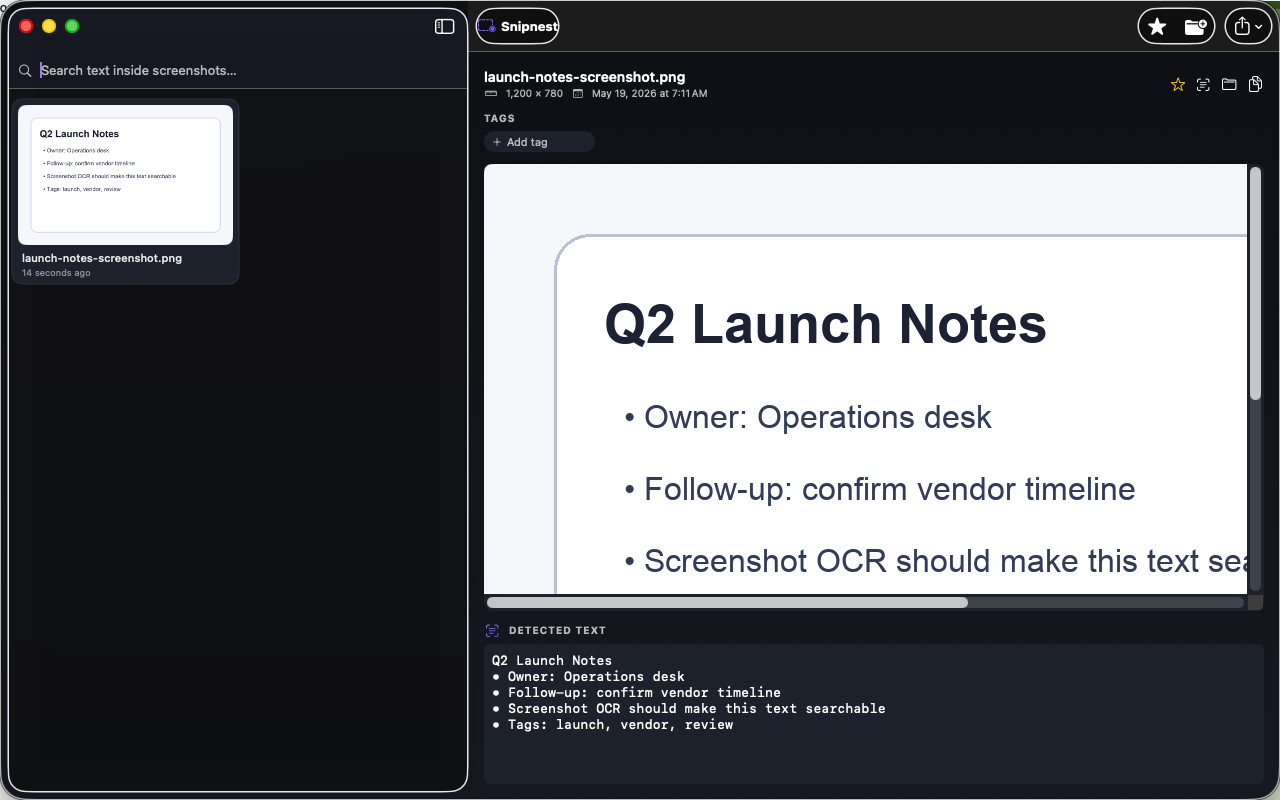
This image shows the current Mac app interface used for review-facing screenshots.
Snipnest stores all data locally on your Mac. It does not connect to the internet, does not collect analytics, and does not use third-party SDKs. No account required. Full privacy policy.