Sublayer app icon
Mac App — Version 2.1

Sublayer

A Mac caption layer for live speech, transcript review, session briefs, keyword tracking, and export-ready notes. Everything runs on your Mac.

Why it helps

Sublayer gives you a floating subtitle bar over any app on your Mac, transcribing your microphone in real time using on-device speech recognition. Review the transcript later, build a local session brief, and export clean notes without sending audio to a service.

Core tools

  • Live caption overlay for any app — meetings, lessons, interviews
  • Session Brief with takeaways, actions, decisions, questions, dates, and Markdown export 2.1
  • Keyword Spotlight for watchword highlights and saved-session tallies 2.0
  • Session History: every session saved and searchable 2.0
  • Timestamped transcript with per-segment review 1.1
  • Overlay position presets (Top / Center / Bottom / Custom) 1.1
  • Text color picker and font size slider 1.1
  • Custom dictionary for product names and jargon
  • Export TXT, SRT, WebVTT, Markdown, Insights, or Brief reports
  • 10 on-device languages: English, Spanish, French, German, and more

What's new in 2.1

Session Brief — Select a saved transcript and open Brief to see local takeaways, likely action items, decisions, questions, dates, topics, and watchword hits. Copy it or save a Markdown report for review notes.

Stronger review workspace — Session History now combines timestamps, search highlighting, insights, keyword tallies, and brief exports in one place.

Current screenshot set — The App Store screenshots now show the actual 2.1 workflow: live panel, overlay, history, dictionary, keywords, and Session Brief.

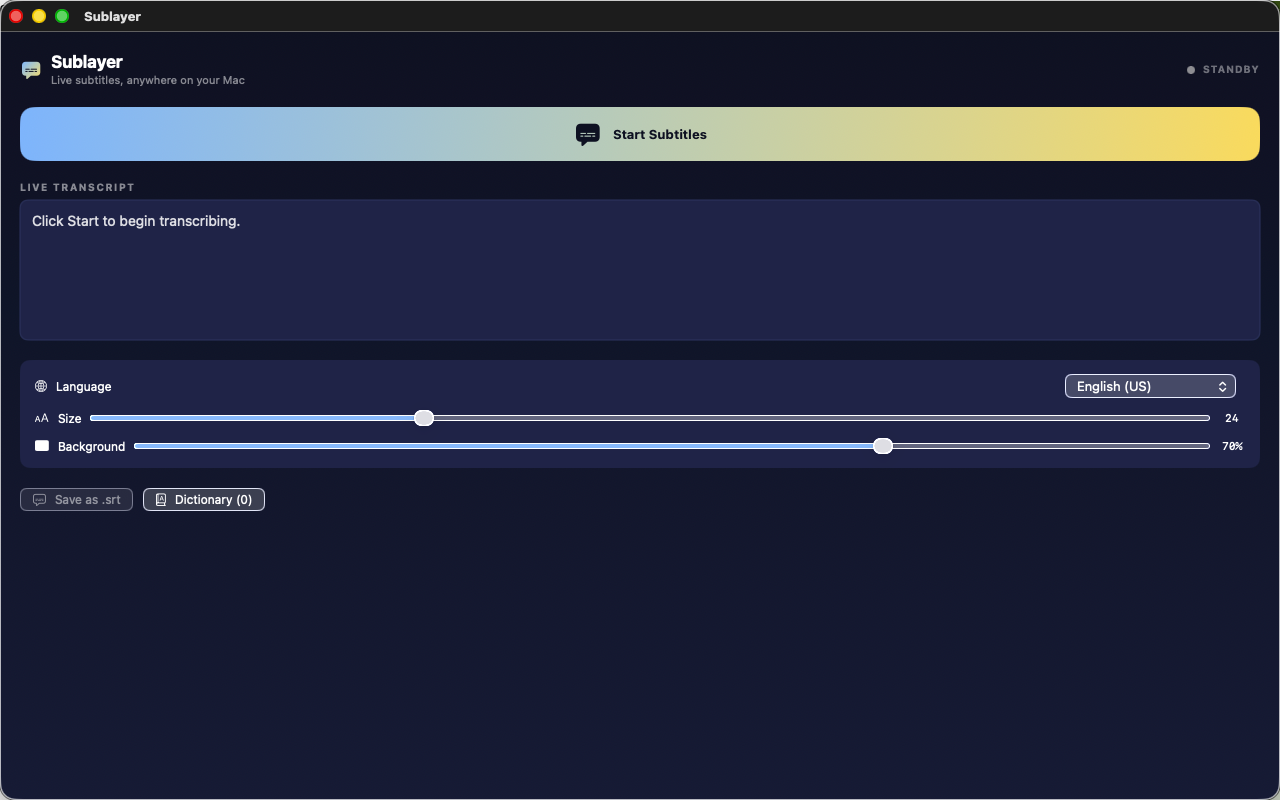
Actual app interface

This image shows the current Mac app interface used for review-facing screenshots.

Sublayer Mac app screenshot

Privacy-first design

Speech recognition runs on your Mac using Apple's on-device Speech framework. Transcripts, dictionary entries, watchwords, settings, and briefs are saved locally unless you export them yourself. The app does not include analytics, advertising SDKs, account sign-in, or third-party SDKs.