Plinth
A private Mac clipboard workspace with fast search, snippets, transforms, collections, and a local Exposure Audit for stored clips.
Version 2.1 - updated June 27, 2026 · macOS 14.0 or later · No account required · Local-first clipboard history
What it does
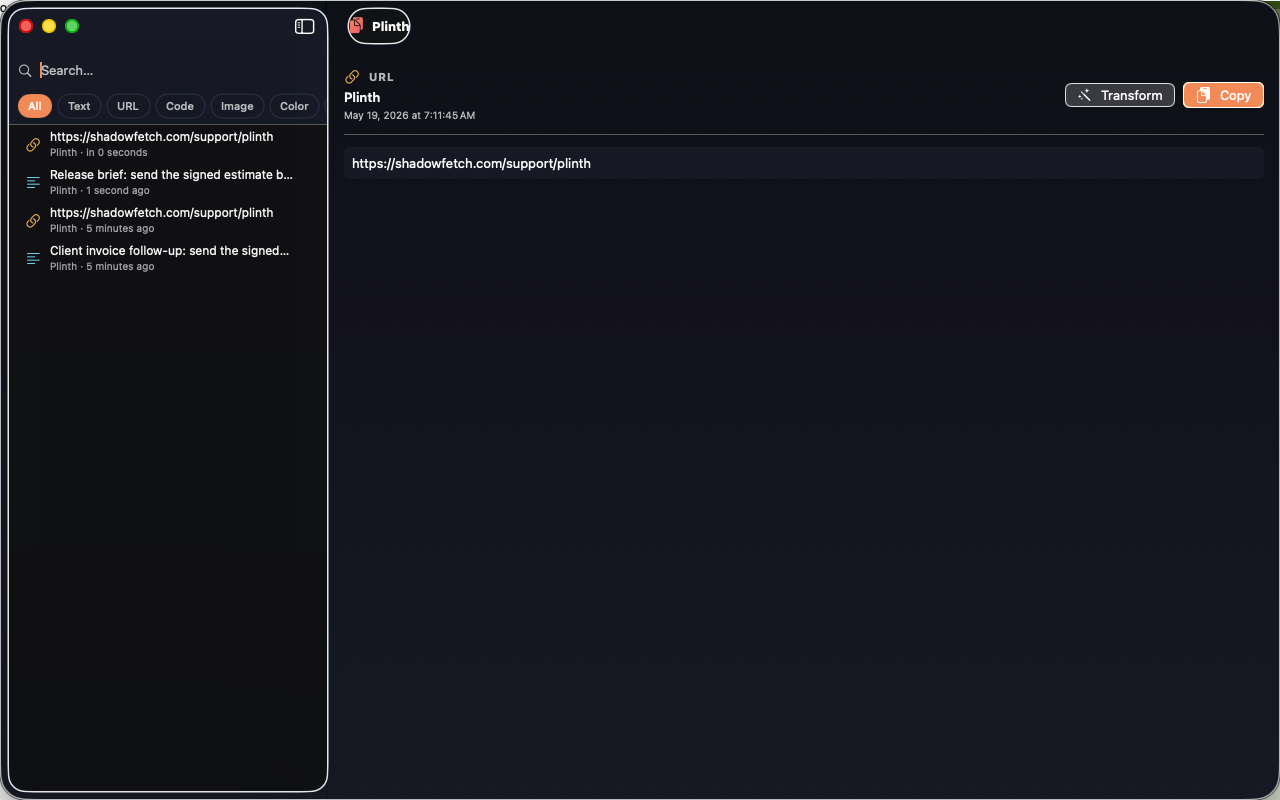
Plinth keeps copied text, links, code, colors, and file references searchable from a Mac-native workspace and menu bar palette. Version 2.1 adds an Exposure Audit that helps you review stored clips for sensitive patterns such as tokens, credentials, private-key text, contact information, stale clips, and oversized text.
Features
Exposure Audit
Local risk scoring for stored clipboard history, with signal counts and cleanup guidance.
Fast palette
Open the menu bar palette, search, pin, plain-paste, transform, and quick-paste with keyboard shortcuts.
Text transforms
Format JSON, change case, extract emails and numbers, hash text, sort lines, and inspect clip metrics.
Collections
Group reusable clips into focused boards for links, boilerplate, brand colors, and daily work.
Privacy controls
Honors concealed/transient pasteboard markers, supports app exclusions, history caps, duplicate removal, and local cleanup.
Offline by design
No account, no advertising SDKs, no tracking, and no cloud service requirement.
Actual app interface