iPhone App · Version 1.2
CellArc
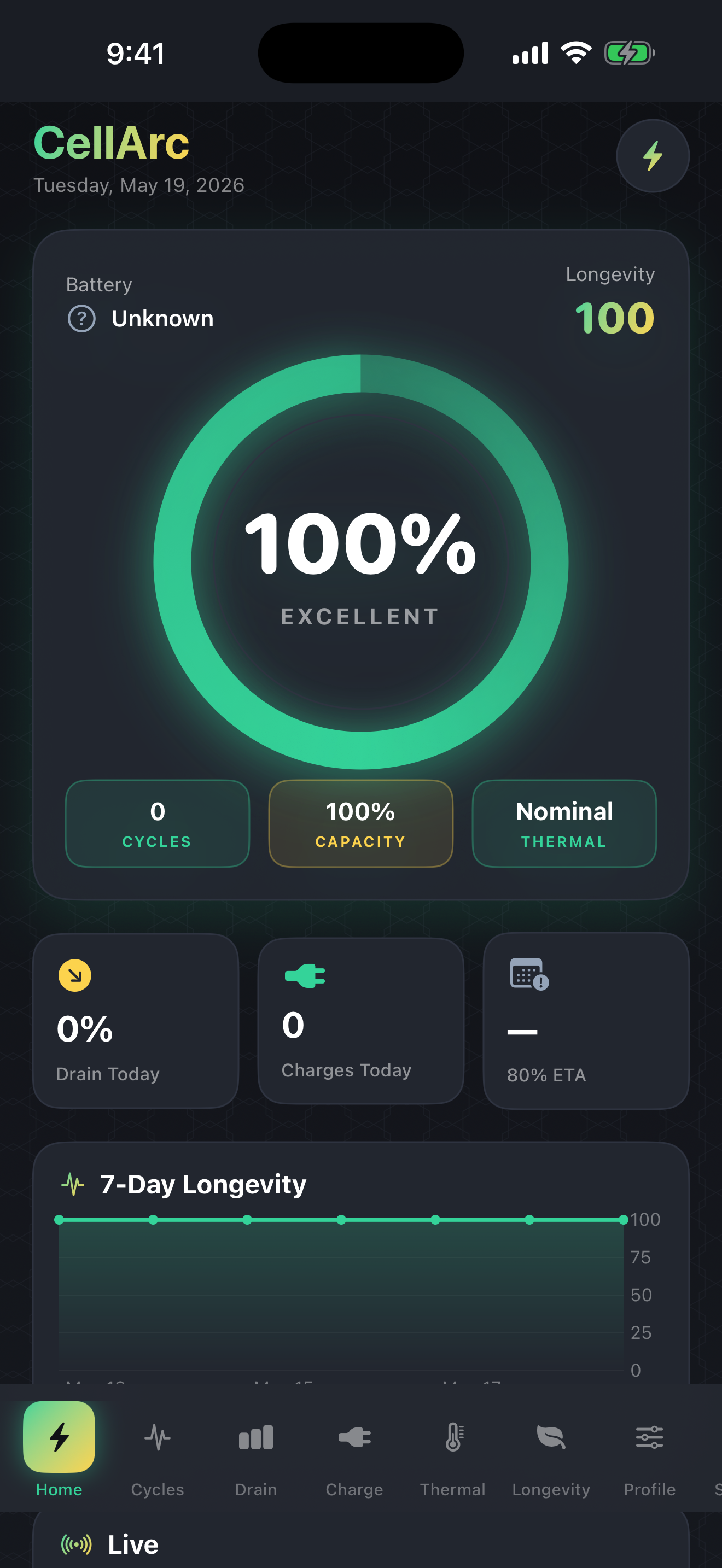
A battery-habit workbench for iPhone owners who want more than a single percentage. Charging logs, thermal awareness, longevity scoring, model-calibrated energy math, export, and practical habit coaching — all offline, all on-device.
What's New in Build 4
- Charge Speed Trend — The Charging tab plots time-to-80% across your last 40 qualifying sessions with a regression line and a Slowing / Stable / Improving verdict. A rising trend is an early cell-aging signal that no percentage readout can show.
- Model-calibrated Trip Planner — Trip energy math now uses your selected iPhone model's actual watt-hour capacity instead of a generic baseline. An iPhone 16 Pro Max gets a correctly larger energy budget than an iPhone 12 mini.
- Charger Guide — New offline reference tab covering every Apple charger from the 5W legacy cube through MagSafe and 27W USB-C PD, with real wattage, speed-to-50% figures, USB PD tier explanations, and best-practice guidance.
Core Tools
- Battery dashboard with real-time longevity score
- Charging session log with speed-to-80% timing and trend chart
- Thermal timeline with threshold callouts
- Longevity scorer: heat, top-off time, deep discharge, cycle rate
- Charge profile coach and personalized best-time-to-charge
- App-hog drain tester (user-reported sessions)
- Model-calibrated trip planner and long-storage reminder
- Lifetime energy tracker with fun equivalents
- Cable diagnostic: estimate charger wattage in 5 minutes
- Offline charger guide: specs, PD tiers, best practices
Charge Speed Trend — catch battery aging early
Apple's battery percentage tells you how full the cell is right now; CellArc's new Charge Speed Trend tells you whether filling it is getting slower over time. When a lithium-ion cell ages, its constant-current acceptance rate drops — it takes longer to reach 80% from the same starting point. CellArc tracks every session that begins below 42% state-of-charge (a consistent baseline), plots the time-to-80% for each, and fits a regression line. A "Slowing" verdict appears before you'd notice shorter runtime, giving you actionable information early.
Model-calibrated energy math
CellArc ships a library of 25 iPhone models from iPhone 11 through iPhone 17, each with its exact battery capacity in watt-hours (sourced from iFixit teardowns and Apple published specs) and Apple's rated cycle target. Select your iPhone in Settings and every energy calculation — delivered Wh, discharged Wh, cable wattage estimates, and Trip Planner energy budget — updates to match your actual battery.
Offline Charger Guide
The new Charger Guide tab is a fully offline reference for every Apple charger tier: the legacy 5W USB-A cube, the 12W iPad adapter, the 18W and 20W USB-C PD adapters, MagSafe at 7.5W and 15W, and the 27–30W USB-C ceiling reached by iPhone 15 Pro and later. Each entry lists real wattage, the right cable, which iPhones it fast-charges, and approximate speed-to-50%. A USB Power Delivery tier table explains what negotiation profiles exist and where iPhone sits in each. Best-practice guidance covers temperature, the 20–80% sweet spot, and why cable quality matters.
Export for repair shops and spreadsheets
Settings includes three export actions. Charging sessions export as a CSV with start/end timestamps, percent delivered, time-to-80%, and thermal rating. Daily rollups export as a second CSV with drain, cycle, hot-time, and deep-discharge columns. A plain-text summary report includes longevity score, rated vs. estimated cycles, and a 30-day data window — useful for conversations with Apple Support or independent repair shops.
What CellArc cannot do
iOS does not expose the SMC battery capacity sensor, the exact design capacity, or per-app power draw to third-party apps. CellArc is honest about this: it estimates from the signals that are available (level changes, thermal state, charge sessions) and explains its math at every step. For authoritative numbers, check Settings → Battery → Battery Health on your device.
Fully offline. No account. No ads.
CellArc makes no network requests. All battery logs, session records, and settings live on your device. There is no account, no tracking, no third-party SDK, and no in-app purchase. Export is the only way data leaves the app — and only when you choose to share it.