Huevault
Capture colors from the world, extract palettes from photos, inspect exact codes, export OKLCH values and Tailwind CSS configs, build harmonies, generate tint and shade ladders, check contrast, and share polished palette cards. Fully offline — no account, no subscription.
Point the camera and a centered loupe reads the exact color underneath. Tap the shutter to collect swatches or grab a whole palette from a single frame — all on device.
Pick any photo and Huevault runs a deterministic median-cut extraction locally, pulling 3 to 8 colors. The same photo always gives the same palette.
Got a color from a brief or spec? Type the hex code directly — #RRGGBB or RRGGBB — and Huevault commits it the moment it's valid. Works when adding to a palette or picking a harmony base color.
Every swatch shows its OKLCH value in the inspector (tap to copy). The "Copy as" menu now includes a Tailwind CSS config block using oklch() values — matching Tailwind v4's own palette format — and an OKLCH list for CSS Color Level 4 stylesheets.
HEX, RGB, HSL, OKLCH, and the nearest named color for every swatch, each one tap to copy. Export a full palette as a hex list, CSS variables, comma-separated, Tailwind CSS config, OKLCH values, Swift/Xcode JSON, Figma tokens, Android XML, or SVG swatches — 9 formats total.
Complementary, Split Complementary, Analogous, Triadic, Square, Tetradic, and Monochromatic — built from any base color with a live preview before you save.
Tap any swatch and see five tints toward white and five shades toward black, each tap-to-copy. Build a complete tonal scale from any single brand color in seconds.
Compare any two colors with WCAG contrast ratios, AA and AAA pass/fail badges for normal and large text, and a live legibility preview. Color-blind (CVD) simulation in both the swatch inspector and the contrast checker.
What is new in 1.1
- Type a hex code directly — enter #RRGGBB when adding a color or choosing a harmony base. No color wheel needed when you already know the value.
- OKLCH in the inspector — every swatch now shows its perceptually-uniform OKLCH value, tap to copy. OKLCH is the format used by CSS Color Level 4 and Tailwind CSS v4.
- Tailwind CSS config export — "Copy as" menu now includes a ready-to-paste JS object block using oklch() values matching Tailwind v4's palette format.
- OKLCH values export — one oklch() line per swatch, for pasting directly into any CSS Color Level 4 stylesheet.
- Split Complementary and Square harmony types added (now 7 total).
- Tint / Shade Ladder in the swatch inspector — five tints and five shades, each tap-to-copy.
- Color-blind preview (protanopia, deuteranopia, tritanopia) is now available directly in the swatch inspector, not just the contrast checker.
- Six export formats added across the 1.1 cycle: Swift / Xcode color set JSON, Figma tokens JSON (W3C DTCG format), Android XML, SVG swatches, Tailwind CSS config, and OKLCH values.
- Library search — search bar filters your saved palettes by name.
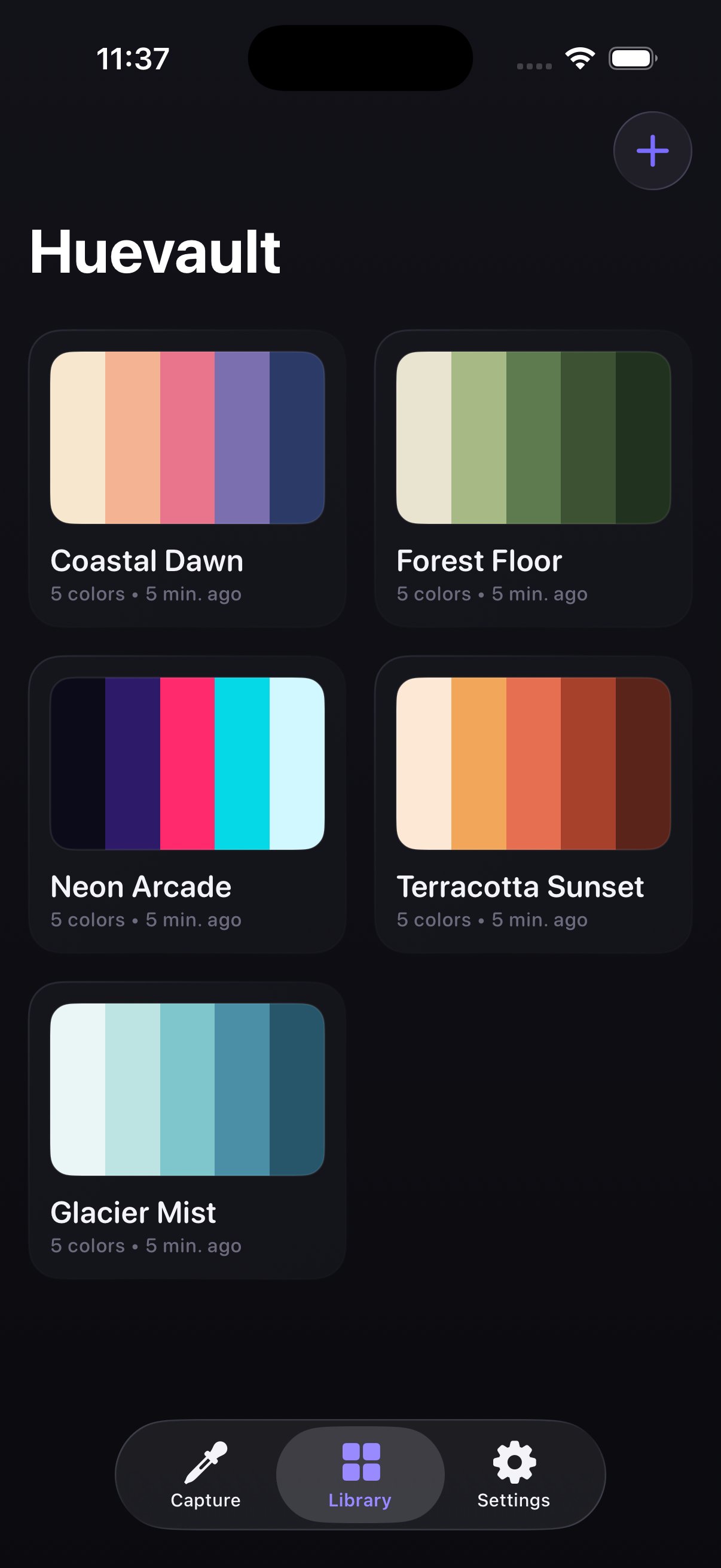
Actual launch-tested screenshot prepared during pre-submission checks.